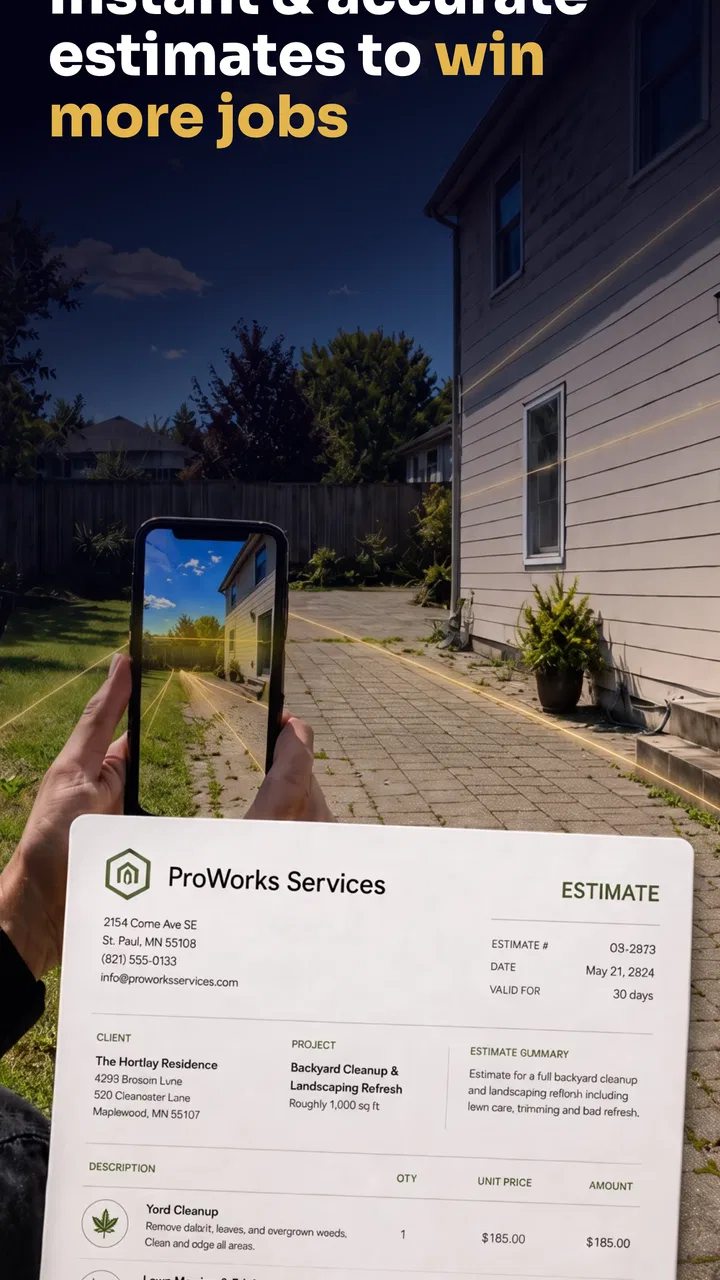
Winpal Estimate Invoice Maker
- 4.6
- Rating
- 10.00K
- Installs
- Free
- Price

 Analysis by App-foxy
I found Winpal Estimate Invoice Maker most useful as a focused business companion for people who need to turn a job discussion into a professional estimate or invoice without sitting in front of a full accounting system. Its purpose is clear: help you prepare customer-facing documents quickly, then keep the payment process moving. I would look at it differently from a complete bookkeeping platform. This is a practical tool for the estimating and billing moment, not something I would automatically choose as the central system for every financial task.
The app comes from Hubflo and sits in the Business category. It is free to install, carries an Everyone age rating, and has reached over ten thousand installs. Its average rating is 4.6, which suggests that many people find the basic workflow useful, although a rating alone cannot tell me whether it suits a particular trade or billing routine. The current release is version 1.0.10, and the app supports Android 7.0 and later, giving it a reasonable reach across older Android phones as well as newer devices.
How the app feels when speed matters
My first impression of an estimate-and-invoice app is usually determined by how quickly I can get from opening it to a usable document. Winpal is aimed at that exact pressure point. If I have just finished discussing a repair, installation, consultation, or small project with a customer, I do not want to recreate the conversation later from scattered notes. A dedicated invoice maker can reduce that delay by keeping the document-building task in one place.
You May Also Like

 AccuWeather: Weather Radar
AccuWeather Review: A Quick, Clear Forecast for Everyday Decisions
For everyday plans, the best forecast is the one you can understand quickly. AccuWeather makes rain timing, radar, and local conditions easy to act on, with a few trade-offs.

 Hill Climb Racing
Why Hill Climb Racing Still Turns Crashes Into One More Run
A tiny car, a bumpy hill and one more upgrade: Hill Climb Racing keeps resurfacing because its simple chaos makes every near-miss feel personal.

 AliExpress - Shopping App
AliExpress Makes Global Shopping Feel Personal, but Shoppers Bear the Risk
AliExpress turns a global marketplace into a pocket-sized discovery engine. Its reach is useful, its shopping loop compelling, and its trade-offs easy to miss.

 Lords Mobile: Kingdom Wars
Lords Mobile Is a Kingdom-Building Routine, Not a Quick Match
A case-by-case verdict on the building, battles, device demands, and social commitments that make Lords Mobile rewarding for some players and exhausting for others.

 PDF Scanner app - TapScanner
TapScanner Makes Paperwork Easier to Capture, Check, and Share
TapScanner makes scanning with a phone feel less like a rescue operation and more like a dependable step in getting work done. Its capture tools are useful, though not flawless.

 Block Blast!
Block Blast! Shows How Much a Puzzle Game Can Leave Out
A quiet grid game shows why puzzle players increasingly value instant clarity, repeatable skill and low-pressure play—and where the genre still needs to catch up.
More From Our News Desk
View All News


The strongest speed advantage is not necessarily a dramatic animation or a benchmark result. It is the reduction in mental switching. Instead of opening a document editor, searching for a template, formatting totals, and then remembering which details belong on an estimate rather than an invoice, I can approach the task as a business transaction. That focused structure is valuable for independent workers who often prepare paperwork between appointments.
I would still avoid promising instant results for every job. A simple fixed-price service should be quick, while a project with several materials, labor stages, optional items, or changing quantities naturally takes longer. The app can make the document workflow more direct, but it cannot remove the thinking required to price work accurately. That distinction matters: speed is most useful when the underlying quote is already clear.
A good habit is to prepare the information before opening the app. I would keep the customer name, service description, quantity, rate, and any terms nearby. That turns the app into a finishing tool rather than a place where I try to reconstruct an entire job from memory. It also lowers the chance of sending a fast document with a missing line or an unclear description.
Where a quick estimate becomes genuinely useful
Consider a mobile tradesperson who visits a customer in the afternoon to inspect a leaking fixture. The customer wants a written estimate before approving the work. The practical value of Winpal is that the estimate can be prepared while the details are still fresh, rather than waiting until the evening and risking forgotten materials or a vague description. If the customer accepts, the same work context can move toward invoicing instead of being rewritten from scratch in another tool.
That workflow is especially helpful when professionalism affects trust. A clear estimate gives the customer something concrete to review, while a properly prepared invoice makes the next step easier to understand. I would not use the app to replace a conversation about uncertain work, but I would use it to document the result of that conversation.
There is also a less obvious benefit for people who work from a phone: the app encourages a repeatable sequence. I can treat every job in the same order—identify the customer, describe the work, add the financial details, review the document, and send or present it. Consistency is often more valuable than elaborate customization when several small jobs arrive in one day.
What happens during heavier work sessions
The real test is not one invoice. It is a busy day with multiple estimates, revisions, and completed jobs. In that situation, I would pay attention to whether the app keeps the workflow understandable as the number of documents grows. A lightweight invoice tool is at its best when each job remains easy to locate and review. It becomes less comfortable when I need extensive project history, deep reporting, inventory control, or detailed account reconciliation.
For a freelancer or small service provider, repeated document creation may still be manageable because the work is naturally divided into individual customer transactions. The app’s narrow purpose can help prevent unrelated accounting screens from getting in the way. On the other hand, a company with several staff members preparing quotes at the same time may need stronger coordination features than a simple mobile invoice workflow provides.
I would also be careful with revisions. Estimates often change after a customer asks for a different material or adds another task. The safest approach is to treat each revision as a deliberate review rather than rushing through the old document and assuming every detail carried over correctly. Before sending anything, I would compare the description, quantities, and total against the latest agreement.
This is one of the app’s important trade-offs. A focused tool may feel faster because it avoids the weight of a large business suite, but that same focus can mean fewer controls for complex operations. If my work consists mainly of short, clearly defined jobs, that is a good exchange. If I manage long projects with deposits, staged billing, tax rules, purchase orders, and several people editing the same record, I would want to test the workflow carefully before making it central to the business.
Stability, recovery, and the habits I would use
I judge reliability in a business app by more than whether it opens. A document tool is reliable when I can understand what I am editing, review the final numbers, and recover from an interruption without losing confidence in the result. The available product details identify Winpal as a current app with version 1.0.10, but they do not justify claims about guaranteed uptime, offline behavior, or automatic recovery. I would therefore build sensible habits around it rather than assume every situation is covered.
After preparing an important estimate or invoice, I would pause for a final check before leaving the screen. If I were working in a place with weak connectivity or a nearly empty battery, I would avoid making that the only moment when the document exists. Keeping the customer’s original job notes until the transaction is complete is a simple safeguard, especially for high-value work.
That advice is not a criticism unique to this app. Mobile business tools are used in unpredictable places: driveways, workshops, customer offices, and busy streets. A phone call, notification, accidental swipe, or system interruption can break concentration. The more important the invoice, the more valuable it is to review the finished result and retain a separate record of the agreed work.
I also prefer a recovery-friendly workflow: complete one customer document, check it, then move to the next. Creating several unfinished estimates at once makes it harder to know which figures are final. For a solo operator, this small discipline can prevent a surprisingly common mistake—sending an earlier version after the customer has already approved a change.
Older phones and everyday device limits
Support for Android 7.0 and later means the app is not restricted to only recent hardware. That is useful for a small business using an older phone as its work device, particularly when replacing equipment is not a priority. Still, operating-system compatibility does not guarantee the same experience on every handset. Screen size, available storage, battery condition, and general device responsiveness can influence how comfortable document entry feels.
On a compact phone, long descriptions and detailed line items may require more scrolling and more careful checking. On an older device, I would avoid keeping many unrelated apps active while preparing an important invoice. That is ordinary mobile housekeeping, but it matters when the business task cannot wait. Closing distractions, charging the phone, and checking the display before a customer meeting can make the workflow feel more dependable.
Resource demands are difficult to judge responsibly without measurements, so I would not claim that Winpal uses a particular amount of memory or battery. The app’s focused purpose suggests a simpler workload than a full accounting suite with reports, inventory, and extensive dashboards, but that is an expectation rather than a measured result. My practical test would be straightforward: create an estimate, edit it, review the totals, and repeat the process several times on the actual phone I plan to use for work.
That test should happen before committing to a new routine. A tool can be perfectly suitable on a modern handset yet feel awkward on an older one if tapping, scrolling, or returning to a document takes too much effort. Because this app is free to install, trying it on the intended device is more sensible than guessing from screenshots or specifications.
Costs, upgrades, and the point where free stops being simple
The app is free to install, which makes experimentation easy for a new freelancer or a small operator who wants to compare it with manual documents. There are in-app purchases ranging from $6.99 to $99.99 per item. I would treat that range as a reason to understand the available purchase choices before building the entire business process around the app.
For occasional estimates, a free starting point may be enough to decide whether the workflow feels natural. For frequent professional use, I would check which part of the experience requires payment and whether that cost matches the number of jobs I handle. The right question is not simply whether the app is free at the beginning, but whether the paid path remains sensible for my volume and requirements.
This is also where Winpal should be compared with familiar alternatives. A word processor or spreadsheet can create an invoice at almost no extra cost, but those tools usually require more manual formatting and make consistent totals easier to mishandle. A complete accounting platform can offer broader records and financial oversight, but it may take longer to learn and may feel excessive for someone who only needs estimates and invoices from a phone.
Winpal occupies the middle ground: more purpose-built than a blank document, less ambitious than a full accounting environment. That position is attractive when the immediate goal is to produce customer paperwork efficiently. It is less convincing if I need the invoice to be one part of a larger system covering expenses, taxes, payroll, stock, reconciliation, and long-term reporting.
Who will benefit most from the focused workflow
I can see this app working well for independent contractors, consultants, home-service providers, repair workers, designers, and other small operators who sell clearly defined work. It is particularly appealing to someone who wants to prepare a professional estimate while away from a desk and then follow up with an invoice after the job is complete.
It may also suit a new business owner who is not ready to learn a large accounting package. Starting with a narrow, understandable workflow can be less intimidating. The key is to recognize the boundary: the app can support the customer-facing estimate and billing step, but I would not assume that it replaces every administrative process a growing business eventually needs.
I would be more cautious if my business depends on complicated tax treatment, multiple currencies, detailed inventory, recurring billing, formal purchase orders, or several employees sharing the same financial records. In those cases, a broader business platform may be better, even if it feels slower at first. A tool that saves minutes on document creation is not the right choice if it creates extra work elsewhere.
Another group that may want to skip it is anyone who rarely sends estimates or invoices. If I create only one document every few months, a familiar document editor may be sufficient. The value here comes from repetition: the more often I move from job details to customer paperwork, the more the focused workflow can justify itself.
Small workflow improvements that make a difference
My first practical tip would be to write descriptions that a customer can understand without hearing the original conversation. “Repair” is weaker than a concise explanation of what is being repaired and what the charge covers. Clear wording reduces follow-up questions and gives the estimate more value than a simple total.
Second, I would separate optional work from required work whenever the job allows it. This makes a customer decision easier and reduces the risk of presenting one combined price when only part of the work has been approved. It also gives me a cleaner path when an estimate becomes an invoice: the final document can reflect what was actually accepted.
Third, I would use the review step as a financial checkpoint, not just a spelling check. I would compare the quantity, rate, additions, and final total with my notes before sending the document. On a phone, it is easy to focus on whether the page looks finished and overlook a small numerical error.
Finally, I would keep the estimate and the completed job mentally separate. An estimate describes proposed work; an invoice represents what is owed for delivered work. Even if the app makes it convenient to continue from one document to the other, I would revisit the details after the job changes. That habit protects both the customer relationship and my own records.
My performance verdict for real business use
Winpal Estimate Invoice Maker makes the most sense when I need a direct route from a customer conversation to an estimate or invoice. Its appeal is practical rather than flashy: a focused business app can reduce formatting effort, support a repeatable mobile routine, and help a small operator look organized without adopting a large accounting system immediately.
I would describe its expected performance as task-focused. Simple documents should be the natural use case, while complicated jobs will still demand careful review and possibly another system for the wider financial picture. I would not treat the app’s current version or strong average rating as proof that every device, workflow, or business requirement will behave identically. My own phone and my own billing process would be the final test.
The free installation makes that test easy, although the in-app purchase range means I would inspect the upgrade path before relying on it for a high-volume operation. The Everyone rating and broad Android support also make it approachable for a wide audience, but accessibility does not remove the need to check whether the document process fits the way I actually work.
My recommendation is straightforward: try it if your biggest problem is preparing estimates and invoices promptly from an Android phone. Use it with organized job notes, review every total, and keep expectations realistic about the difference between customer billing and complete accounting. If you need a lightweight tool for repeated small transactions, it is a sensible candidate. If you need deep financial controls or multi-person business management, I would choose a broader alternative instead.
FAQs for Winpal Estimate Invoice Maker
01What is Winpal Estimate Invoice Maker used for?
Winpal Estimate Invoice Maker is designed to help freelancers, contractors, small businesses, and independent professionals create estimates, quotes, invoices, and related business documents from a mobile device. It can be useful for preparing a professional-looking document while working on-site or away from the office. Before relying on it for your business, review the available templates, tax options, payment fields, and document customization tools to confirm that they match your invoicing workflow.
02Can I customize invoices and estimates in Winpal?
The app is intended to make business documents more adaptable than a basic text note, with options that may include adding business information, customer details, products or services, prices, taxes, discounts, notes, and payment terms. Customization can vary according to the app version and subscription plan. After installation, check whether your logo, colors, currency, numbering format, and preferred layout can be changed before creating documents for real customers.
03Does Winpal Estimate Invoice Maker support taxes, discounts, and different currencies?
Invoice requirements differ considerably between countries and industries, so users should verify these functions before downloading for professional use. Winpal may provide fields for taxes, discounts, totals, and currency selection, but the exact calculations, rounding behavior, tax labels, and supported currencies can depend on the current version. Always review a generated invoice carefully and confirm that it complies with your local accounting and tax requirements.
04Can I send or share invoices created with Winpal?
A major benefit of a mobile invoice maker is being able to deliver documents without returning to a computer. Winpal is generally intended to let users save or share completed estimates and invoices, commonly through options such as PDF export, email, messaging, or other installed sharing services. The available methods may differ between Android and iOS, so test the sharing process and confirm that the final document displays correctly before sending it to a client.
05Is Winpal Estimate Invoice Maker free, and is my data secure?
The app may offer free access to some tools while reserving advanced features, document limits, templates, or other functions for paid plans or in-app purchases. Pricing and included features can change, so check the store listing and subscription screen before committing. You should also read the privacy policy to understand how customer and business information is stored, synchronized, backed up, and handled, and avoid entering sensitive data until you are comfortable with those terms.
Pros
- Creates estimates and invoices quickly from a mobile device.
- Useful templates give documents a professional appearance.
- Helps organize customers
- products
- and service details.
- Suitable for freelancers and small businesses on the go.
- Can reduce manual calculation and paperwork errors.
Cons
- Advanced features may require a paid subscription.
- Customization options may be limited for specific industries.
- Some features may depend on an active internet connection.
- Entering large inventories on a phone can be time-consuming.
- Users may need to verify tax settings for local requirements.

Winpal Estimate Invoice Maker
Gallery